Data Privacy Basics Every Small Business Should Know
In short
Small businesses and nonprofits must limit what personal data they collect, explain it in a plain privacy notice, keep it only as long as needed, protect it with basic security, and keep a rehearsed breach response plan. A lawyer is worth the cost for multi-jurisdiction operations, sensitive data, or compliance contracts.
Plain-language privacy basics for small businesses and nonprofits: minimal data collection, consent, retention limits, breach response, and when to call a lawyer.
By Editorial teamPublished Last updated 10 min read
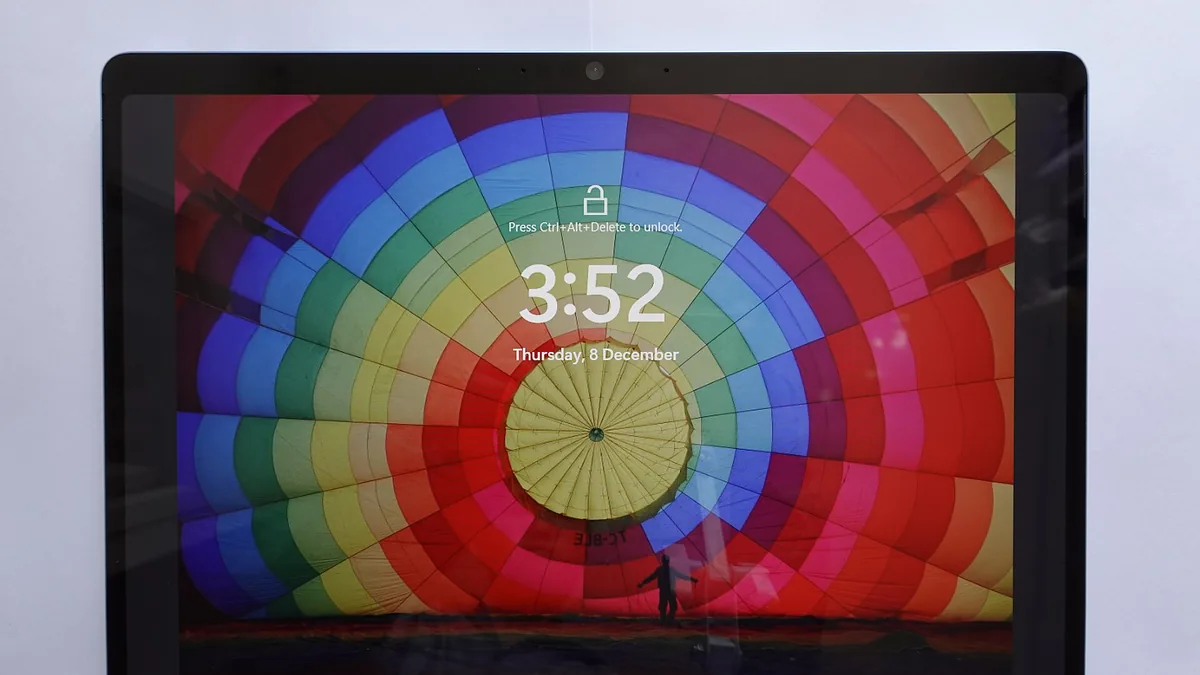
A Surface Pro tablet, taken with a Sony ZV-1 II, shows a colorful hot air balloon lock screen. Photo: KK IN HK, Wikimedia Commons, CC BY-SA 4.0.
Most small businesses and nonprofits already have real privacy obligations, even if they assume privacy law is only a big-company problem. The core duties are surprisingly consistent across jurisdictions: collect only what you need, tell people what you are doing, keep it only as long as you need it, protect it, and have a plan for when something goes wrong. This guide turns those duties into checklists you can act on this week, and flags the points where professional legal advice is worth the money.
Why should a small business collect less personal data?#
Privacy compliance gets dramatically easier the less personal data a small organization holds. Every field in a CRM, every spreadsheet of donor addresses, every copy of an ID photocopied “just in case” is a liability that someone has to secure, keep accurate, and eventually delete. Collecting less data is the cheapest privacy control available to a small business.
A useful exercise is a data inventory. Walk through every place your organization stores information about people and ask two questions: what is this for, and what would break if we stopped collecting it?
Minimal data inventory checklist:
List every tool that stores personal data: email platform, CRM, donation processor, accounting software, cloud drives, paper files.
For each, note what categories of data it holds: names, emails, phone numbers, payment details, health notes, anything about children.
Mark which fields are actually used. Nobody has ever merged two spreadsheets and felt regret about the “middle initial” column.
Delete or stop collecting the rest. If a field has no named owner and no business reason, it fails the test.
Sensitive categories deserve special caution. Health information, biometric data, government ID numbers, financial account details, and data about minors trigger stricter rules in many privacy regimes. If you do not strictly need these, do not collect them. If you do need them, limit who can see them and store them in as few places as possible.
What should a privacy notice and consent process include?#
A privacy notice and consent process should tell people, in plain language, what data you collect, why, who sees it, and how they can opt out. Most privacy rules rest on one simple idea: people should know what happens to their information and have a say in it. In practice this means a short, honest privacy notice and a clear way to opt in to things like marketing emails.
A privacy notice does not need to run to 3,000 words. It needs to answer, in plain language:
What you collect and why
Who you share it with (payment processors, email tools, funders)
How long you keep it
How people can ask for a copy of their data or ask you to delete it
How to contact you with questions
Consent matters most for marketing and optional uses. Someone giving you their email to receive a receipt has not consented to a newsletter. Add a clear, unchecked opt-in box at signup, and honor unsubscribes promptly. Pre-checked boxes and “by using this site you agree to…” language increasingly fail legal review and definitely fail the trust test.
For donor databases in particular, be careful about sharing lists with partner organizations or vendors. Either get explicit permission or aggregate the data so individuals cannot be identified.
A common trap is copying a privacy policy off a template site that references laws you are not subject to, or omitting ones you are. Templates are a starting point, not a finished product. If you operate in multiple states or internationally, have a lawyer review your notice once.
How long should a small business keep customer and donor data?#
A small business should keep each category of personal data only as long as a stated reason exists, then delete it as routine practice. Indefinite retention is where most small organizations quietly accumulate risk. Tax records may need to be kept for years; a donor’s mailing address from a one-time 2014 event probably does not.
The practical move is a retention schedule: a simple table that says how long each category of data lives, and what triggers deletion.
Card filing cabinet with drawers in a building at a CTC hack event. Photo: Watty62, Wikimedia Commons, CC BY-SA 4.0.
Data type
Typical retention trigger
Notes
Transaction receipts
Per tax authority guidance (often 3 to 7 years)
Keep amount, date, purpose; you rarely need the customer’s full profile
Marketing email list
Until unsubscribe or inactivity (commonly 2 years)
Re-consent if you want to revive an old list
Donor contact records
Life of relationship plus required financial record period
Strip details down to what reporting requires
Job applications (non-hires)
Short, fixed window (6 to 12 months)
Standard practice; applicants must be told
Vendor contracts
Term plus statute of limitations for disputes
Separate from personal data rules
Session logs, old exports, spreadsheets
90 days or less
The most commonly forgotten category
Backups complicate retention. A deleted record may still sit in a backup or an old laptop. Build retention into your normal processes rather than relying on one-off purges, and when you decommission hardware, wipe it properly. Our guide to Cloud Backup vs Local Backup covers how retention and recovery interact without turning your backups into a compliance headache.
What basic security does a small organization need to protect personal data?#
A small organization needs basic security hygiene: unique user accounts, least privilege access, multi-factor authentication, encryption, and phishing training. Nearly every privacy statute includes a security obligation. You are not expected to have an enterprise security program, but you are expected to take reasonable steps. For a small organization, reasonable looks like this:
Unique accounts for each staff member and volunteer. Shared logins make it impossible to know who did what and impossible to cut someone off cleanly.
Least privilege access. A part-time assistant does not need export rights on the whole donor database.
Multi-factor authentication on email and any system holding personal data. Email account takeover is the single most common path to data theft.
Encryption at rest and in transit, which is mostly a matter of using reputable cloud tools rather than self-hosted, unmaintained systems.
Staff training on phishing, because a convinced employee defeats every technical control. Pair this with the Nonprofit Cybersecurity Checklist for a full walk-through.
Treat access management as a lifecycle, not a setup task. When someone leaves, disable their accounts the same day. Quarterly, review who has access to what, and remove anything you cannot justify.
Nonprofits should treat donor data as both an asset and a promise: effective fundraising depends on knowing donors, but that same detail level makes a leak unusually damaging, both reputationally and legally. Restrictions on export rights, sensitive notes, and internal visibility of donation amounts reduce this risk.
Checklist for donor data handling:
Limit the number of people who can export the full donor list. Most fundraising work needs segments, not the whole file.
Never store full card numbers. Your payment processor handles this; if card data shows up in a spreadsheet, you have already failed the compliance test.
Be deliberate about wealth-screening and data enrichment tools. If you are appending third-party data to donor profiles, that processing should be in your privacy notice.
Special-case sensitive details. Notes about a donor’s health, family circumstances, or reasons for giving should be restricted and, where possible, kept vague. A “major donor prospectus” with personal details is a data breach waiting to happen.
Have a clear policy on who inside the organization can see donation amounts. Some organizations restrict this to leadership and the development lead.
Customer data for a small business follows the same logic. If you run a service business, the job history is legitimate and necessary; the credit card you kept on file “for convenience” may violate card network rules regardless of what your privacy notice says.
A breach response plan should answer five questions in advance: who decides, who contains the incident, who notifies, what you say, and what gets written down. A data breach is not a moral failing, it is an operational event. What turns it into a crisis is having no plan, so the response is improvised while panicked.
Your plan does not need to be long. It needs to answer five questions in advance:
Cameron Stoll presents on data protection at Blackbaud Europe's bbconUK 2019, with a slide on incident response plans visible Photo: Howard Lake from Colchester, UK, Wikimedia Commons, CC BY-SA 2.0.
Who decides? Name a person authorized to declare an incident and make calls without waiting for a board meeting.
Who contains it? Which staff member changes passwords, isolates systems, and engages IT help.
Who notifies? Many state laws require notifying affected individuals, sometimes within 30 to 60 days, and some regulators as well. Health data and payment card data carry their own rules. You may not know your exact deadlines without legal help, which is precisely why the plan includes a call list.
What do you say? Draft a notification template in advance: what happened, what data was involved, what you are doing, and what the person should do (watch for phishing, reset passwords).
What gets written down? A simple log of what you discovered and when. If there is ever a question about your timing, contemporaneous notes are your best evidence.
Test the plan once a year as a tabletop exercise: one hour, a hypothetical scenario, and everyone talks through what they would do. That hour is the highest-value privacy activity most small organizations can do.
When does a small business need a privacy lawyer?#
A small business needs privacy legal advice in three situations: operating in multiple states or countries, handling sensitive data categories such as health or minors’ information, and signing contracts that demand specific compliance measures. Most other privacy work can be done in-house.
Get legal advice when you operate in multiple states or countries. Privacy statutes vary significantly by jurisdiction, and thresholds for who they cover differ. A one-hour consult can tell you which regimes plausibly apply to you, which is far cheaper than retrofitting compliance after a complaint.
Get legal advice when you handle sensitive categories. Health information, data about minors, and biometric data each sit under dedicated regulatory regimes in many places. If your nonprofit runs health programs or works with youth, budget for a compliance review.
Get legal advice when contracts demand it. Increasingly, funders, insurers, and enterprise customers require privacy terms in their agreements. Signing a contract promising specific compliance measures you have not implemented creates liability beyond the privacy law itself.
For everything else, an annual privacy review done in-house is enough for most small organizations: refresh the data inventory, confirm the retention schedule matches reality, check the privacy notice still describes what you do, and run the breach tabletop.
One more budget consideration: incidents are far more expensive than prevention. See our guide on budgeting for technology in a small organization for how to make room for both the security basics and the occasional legal consult.
Do small businesses really have to worry about data privacy laws?
Yes. Many privacy laws apply based on whose data you hold, not your organization's size. If you collect emails, payment details, or health-related information from customers or donors in states or countries with privacy statutes, those rules can apply to you. Some laws have revenue thresholds, but others do not.
What is the simplest way to reduce privacy risk?
Collect less. Every piece of personal data you store is a liability, so only gather what you can point to a concrete reason for. Then delete it once that reason expires. Good password hygiene and limited access rights close out the basics.
What should we do first if we suspect a data breach?
Stop the spread first by changing credentials and isolating affected systems, then preserve evidence. Identify what data was exposed and how many people are affected. Follow your written response plan and check whether your state or industry requires notification within a set time period, which is often 30 to 60 days.
When do we actually need a lawyer for privacy issues?
Consult one if you operate in multiple states or countries, handle sensitive categories like health or children's data, sign contracts that mention compliance terms, or experience a breach involving regulated data. A one-time consult on your data practices is far cheaper than a penalty or forced retrofit later.
Practical sustainability moves for small offices: extend hardware life, right-size cloud usage, buy greener, and dispose of e-waste responsibly, ranked by effort and impact.