Major vendors including Microsoft, Google, Adobe, and TechSoup offer donated or discounted software to registered nonprofits. Free tools like Canva, Wave, HubSpot CRM, and Google Meet cover many small-organization needs, but eligibility verification and free-tier limits require planning.
How nonprofits can get discounted or donated software from major vendors, which free tools are worth using, and how to avoid free-tier traps.
By Editorial teamPublished Last updated 11 min read
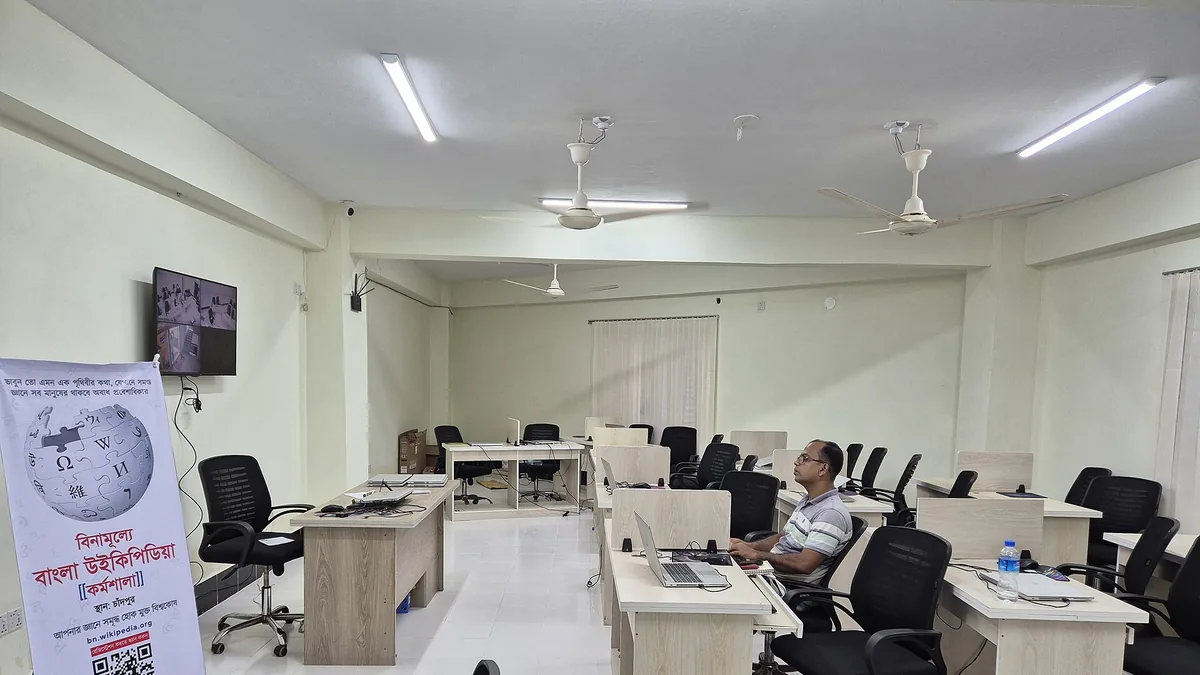
Office at AI Computer Academy in Chandpur during a Wikipedia workshop, featuring desks and computers Photo: Delwar, Wikimedia Commons, CC BY-SA 4.0.
Most major software vendors, including Microsoft, Google, and Adobe, run formal donation and discount programs for registered nonprofits, and a surprising number of capable free tools (Canva, Google Meet, Wave, HubSpot CRM) cover the daily needs of a small organization. The catch is eligibility paperwork and free-tier limits: getting approved takes verification, and some “free” tools become expensive or painful once you outgrow them. This guide walks through the main programs, the strongest free alternatives, and the traps to watch for.
How do nonprofit software discount programs work?#
Nonprofit software discount programs are donation or discount arrangements run by vendors themselves or through intermediaries, and the mechanism determines what an organization must do to qualify. Nonprofits typically access discounts through direct vendor programs, intermediary platforms such as TechSoup, or special nonprofit pricing tiers from commercial tools. Eligibility rules are fairly consistent: registered nonprofit status, a governing board, a charitable mission, and no discrimination in who you serve.
There are three common models:
Direct vendor programs. Microsoft, Google, and others operate their own nonprofit portals. You register, upload proof of your legal status, and receive licenses or discounted pricing directly.
Intermediary platforms. Services like TechSoup verify your eligibility once and then let you request donated products from dozens of vendors under one roof. This is often the easiest path for small organizations because you complete one verification instead of ten.
Nonprofit pricing tiers. Commercial tools like Canva, Zoom, Mailchimp, and Slack offer a discounted “nonprofit” plan you request through their sales or a simple web form. Discounts typically range from modest (10 to 30 percent) to substantial.
Nonprofit software discounts generally require registered nonprofit status, such as 501(c)(3) in the US or an equivalent charity registration elsewhere. Qualifying organizations need a governing board and a charitable, educational, religious, or scientific mission, with no discrimination in who they serve. Common exclusions include schools, hospitals, foundations that only give grants, and some religious and political organizations.
Things that usually disqualify you: religious organizations that restrict services to members of one faith, schools and universities (which have separate programs), hospitals, foundations that only give grants, and for-profit entities with a social mission. Political advocacy is a gray area; some vendors allow it, others explicitly exclude lobbying organizations. Read each vendor’s terms rather than assuming.
One practical note: apply under your organization’s legal name and have your registration number and IRS determination letter ready as PDFs. Most rejections are paperwork problems, not mission problems.
How do the major nonprofit software programs compare?#
The major nonprofit software programs are Microsoft for Nonprofits, Google for Nonprofits, TechSoup, Canva for Nonprofits, Zoom nonprofit pricing, HubSpot for Nonprofits, and Adobe nonprofit discounts. Each offers different benefits, from donated Microsoft 365 licenses and free Google Workspace core licenses to one-time TechSoup verification that unlocks donated products from many vendors. The table below summarizes what you can realistically expect from each.
Program
What you typically get
Who it suits
Effort to apply
Microsoft for Nonprofits
Donated or discounted Microsoft 365 Business licenses, Azure credits, discounts on other products
Organizations standardizing on Microsoft tools
Moderate; verification required
Google for Nonprofits
Workspace for Nonprofits (free core licenses), Ad grants, YouTube nonprofit features
Organizations that live in Gmail, Docs, Meet
Moderate; needs valid registration and a domain
TechSoup
One verification, access to donated products from many vendors (Microsoft, Adobe, and others) plus courses and refurbished hardware
Small nonprofits wanting variety and low prices
Low to moderate; one-time setup
Canva for Nonprofits
Free access to Canva Pro features for up to a set number of users
Groups doing frequent design work
Low; quick verification
Zoom nonprofit pricing
Discounted Zoom Workplace plans
Organizations running public events or large remote meetings
Low; request via form
HubSpot for Nonprofits
Discount on paid tiers; the free CRM is open to everyone
Fundraising and donor management
Low
Adobe nonprofit discounts
Discounted Creative Cloud for a limited number of seats
Organizations with genuine design or video needs
Moderate
Availability and terms change, so treat this as a starting point for your own research, not a price list.
Which program is better for a small nonprofit, Microsoft or Google?#
Microsoft for Nonprofits suits organizations already using Windows, Teams, and the Office apps, with donated license counts usually enough for a small staff. Google for Nonprofits is unusually generous because core Workspace licenses are free, and the included Google Ad Grant (free search advertising) can be worth a lot to a small organization with no marketing budget. The right choice depends on which ecosystem your team already uses.
How does a nonprofit get approved for software discounts?#
Nonprofit software discount approval follows a common sequence across programs: confirming legal status, registering with a verification service, using an organizational email and domain, answering mission questions accurately, and waiting for approval. Approvals can take a few days to several weeks, and most programs require annual re-verification. If rejected, find out why before reapplying, since common causes are paperwork issues.
Here is the general sequence:
Confirm your legal status. You need your registration number, determination letter, and organizational details exactly as filed.
Register with a verification service first. If you plan to request from multiple vendors, start with TechSoup or the vendor’s own nonprofit portal. One clean verification speeds up everything after it.
Use an organizational email and domain. A gmail.com address for the executive director invites scrutiny. A domain-based email signals legitimacy and you will want it anyway for Workspace or Microsoft 365.
Answer mission questions accurately. Vendors screen for exclusion categories. Describe what you do plainly and factually.
Expect a wait, then maintain eligibility. Approvals can take a few days to several weeks. Most programs require annual re-verification, so calendar it.
If you are rejected, find out why before reapplying. Common causes are an outdated registration listing, a name mismatch between your filing and your application, or falling into an excluded category such as healthcare or education, which have their own separate programs.
What are the strongest free software alternatives for nonprofits?#
Free software alternatives cover many nonprofit needs without discount programs: Canva for design, Google Meet and Jitsi Meet for meetings, Wave for accounting, HubSpot’s free CRM for donor and contact management, and free password manager tiers for security. These tools work well when matched to an organization’s scale, though each has limits that matter as the organization grows.
What free tools work for design and communications?#
Canva is the default choice for nonprofits without a designer. Its free tier covers most needs: templates, brand colors, basic image editing, and export in common formats. The nonprofit program unlocks premium elements, brand kits, and background removal, which matter mostly if you produce a lot of material. If you eventually need print-quality control or complex vector work, GIMP and Inkscape are capable open-source alternatives with a steeper learning curve.
What free tools work for meetings and collaboration?#
Google Meet is included free with any Google account and handles meetings up to 100 participants with time limits. Zoom’s free tier works for short meetings but caps group calls at 40 minutes, which becomes a real constraint for board meetings or training sessions. Jitsi Meet is a genuinely free, no-account option for ad hoc calls. For a deeper look at how Meet fits into a full stack, see Small Business Technology Guide: Where to Start.
Wave is the standout free option for US and Canadian organizations: unlimited invoicing, receipt scanning, bank connections, and simple reports at no cost. Wave handles fund accounting awkwardly, so if you need true fund-by-fund reporting for grant compliance, you will eventually want a nonprofit accounting package (Aplos, QuickBooks Nonprofit, or similar). Until then, Wave plus a bookkeeper who understands nonprofit rules is a reasonable stage-one setup.
What free tools work for CRM and donor management?#
HubSpot’s free CRM gives you contact management, deal pipelines, email tracking, forms, and a meeting scheduler at no cost. It is a good donor and volunteer database for organizations under a few thousand contacts. Other options worth a look: free or low-cost tiers from providers specializing in nonprofits, and open-source systems like CiviCRM if you have technical help. The trap here is data structure: decide early what a “contact” means (donor, volunteer, client) because migrating a messy CRM later is one of the most painful projects a small nonprofit can take on.
What free tools cover passwords and security basics?#
When do free software tiers become expensive for nonprofits?#
Free software tiers become expensive through three patterns: sudden price cliffs when you cross a usage threshold, no clean export path for your data, and feature gating on essentials like admin controls and audit logs. Nonprofits should check the first paid tier’s price and the export options before adopting any tool that will hold core data. Free tiers are safest for design, meetings, and experimentation.
Trap 1: Sudden price cliffs. Some tools are free up to a threshold (contacts, emails, invoices, storage) and then jump to a price a small nonprofit cannot absorb. Zoom’s 40-minute group call limit is the classic example; a mailing list tool that charges by contact count is another. Before adopting anything, look up the first paid tier and ask: if we double in size next year, what does this cost?
A focused individual in a white suit types on a laptop while sitting on a chair with sunlight streaming through a window Photo: Shixart1985, Wikimedia Commons, CC BY 2.0.
Trap 2: No export path. The most dangerous tools are ones that hold your data with no clean way out. Check whether you can export contacts, email lists, and documents in standard formats (CSV, PDF, standard file types). If the answer is buried or requires a paid plan, treat that as a red flag.
Trap 3: Feature gating on the things you actually need. Some free tiers strip out audit logs, admin controls, or permission management. That is fine for a two-person team and unacceptable once volunteers handle sensitive client data. Security and access control are not features to gamble on; budget for them from the start.
Which systems should a nonprofit pay for instead of using free tiers?#
A nonprofit should pay for, or get donated properly, any system that becomes its system of record: accounting, CRM, and document storage. Free tiers are safe for design, meetings, and experimentation. A donated license still costs setup, training, and maintenance time, so budget line items for the systems that hold core data. Planning helps avoid expensive migrations later.
A sensible rule of thumb: free tiers are safe for design, meetings, and experimentation. Be more careful with anything that becomes your system of record: accounting, CRM, document storage. Those are the things worth paying for (or getting donated) properly, and worth budgeting line items for. Our guide on How to Budget for Technology in a Small Organization covers the planning side.
A related consideration is what happens when free storage runs out. Understand your recovery options before you hit a limit, not after; see Cloud Backup vs Local Backup: Which Do You Need.
What does a complete free-and-donated software stack look like for a small nonprofit?#
A realistic free-and-donated software stack for a small nonprofit uses Google Workspace for Nonprofits or Microsoft 365 for email and documents, Google Meet for meetings, Canva for design, Wave for accounting, HubSpot’s free CRM for contacts, and a free password manager with two-factor authentication. Total licensing cost at this stage is roughly zero; the real costs are the domain, paid backup or security add-ons, and staff time.
The full starting stack for an organization with a handful of staff and a volunteer base:
Email and documents: Google Workspace for Nonprofits (donated) or Microsoft 365 via the nonprofit program
Meetings: Google Meet (included) plus Zoom only if long group calls justify a discounted plan
Design: Canva free tier, upgraded via Canva for Nonprofits if design volume grows
Accounting: Wave free tier until grant reporting demands fund accounting
CRM: HubSpot free CRM, with a deliberate data structure agreed before import
Passwords and security: Free password manager tier plus enforced two-factor authentication on email and donor systems
Extras: Google Ad Grant for search visibility, once your website is ready for traffic
Total cost at this stage: roughly zero in licensing, with the real costs being your domain, any paid backup or security add-ons, and staff time. That is the correct comparison: a donated license still costs setup, training, and maintenance time, and volunteer help can cover some of it if managed deliberately. For that, see How to Manage Volunteer Tech Help Effectively.
Apply for Microsoft, Google, and TechSoup first; one verification unlocks most of the donated software landscape.
Eligibility hinges on registered nonprofit status and mission type; exclusions apply to schools, hospitals, and some religious and political organizations.
Free tiers from Canva, Wave, HubSpot, and Google Meet genuinely cover small-organization needs.
Check the first paid tier’s price and the export path before adopting any tool that will hold your core data.
Treat accounting, CRM, and document storage as worth paying for; treat design and meetings as safely free.
Re-verify your nonprofit status annually and calendar it, because expired verification can quietly cut off licenses.
How do nonprofits get free or discounted Microsoft and Google products?
Microsoft and Google both run donation and discount programs for eligible nonprofits, accessed through their nonprofit portals. You typically need verified 501(c)(3) status (or local equivalent) and can apply online with your registration documents. Approval usually takes days to a few weeks.
What is TechSoup and why do nonprofits use it?
TechSoup is a nonprofit intermediary that verifies organizations' eligibility and distributes donated and discounted software from many vendors. It saves you from registering separately with each vendor and offers hardware and courses as well. There is a small administrative fee per request.
Are free software tiers really safe for nonprofit use?
Most major free tiers are safe and legitimate, but they come with limits on storage, users, features, or support. The risk is not security but operational: if you build workflows on a free tier and outgrow it, migration can be costly. Check the upgrade pricing before committing.
Which free tools work best for small nonprofits?
For most small organizations, Canva for design, Google Meet or Zoom's free tier for short meetings, Wave for basic bookkeeping, and HubSpot's free CRM form a solid no-cost stack. Pair them with a free password manager tier and cloud storage included in your Google or Microsoft grant.
A practical comparison of Google Workspace and Microsoft 365 for small teams, covering email, documents, pricing, accessibility and hidden switching costs.
Practical sustainability moves for small offices: extend hardware life, right-size cloud usage, buy greener, and dispose of e-waste responsibly, ranked by effort and impact.