Manage volunteer tech help like any other IT resource: write a scope, grant individual least-privilege accounts, require documentation, verify backups before changes, and run a full offboarding checklist. Keep sensitive and continuous functions with paid or staff owners.
A practical guide to managing volunteer tech help: recruiting, scoping work, documenting systems, and offboarding safely without security risks.
By Editorial teamPublished Last updated 11 min read
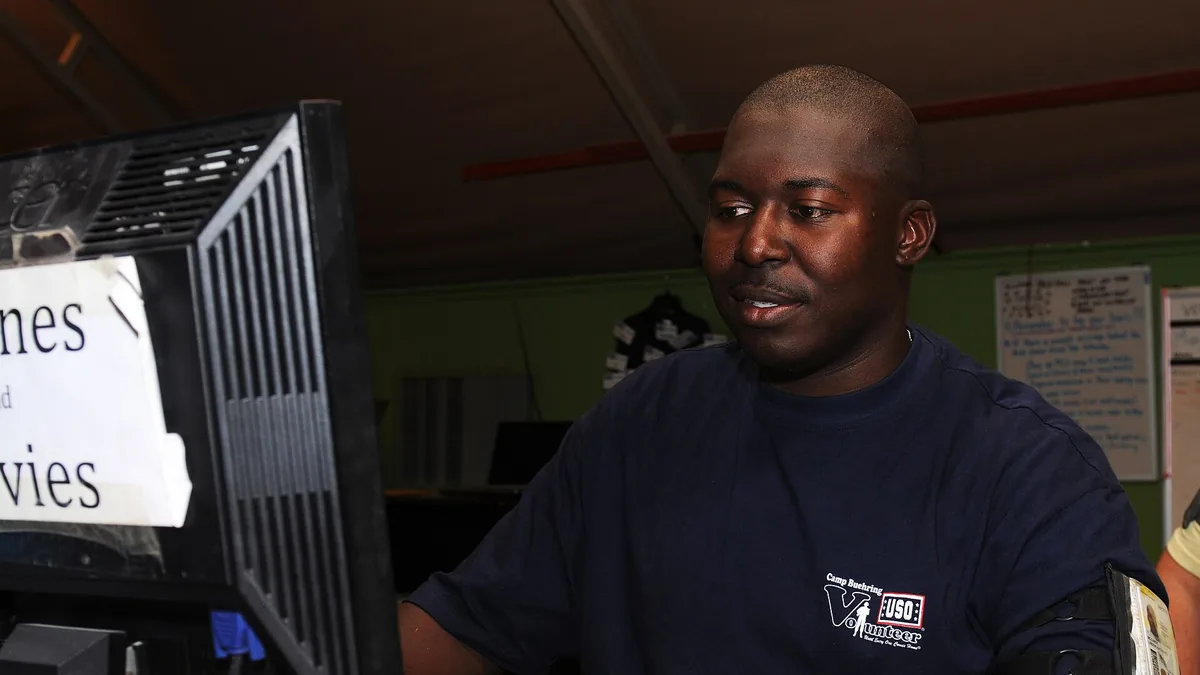
Sgt. Lindon McCurdy volunteers at a USO in Kuwait, using a computer to verify sign-out times for Soldiers’ devices. Photo: Staff Sgt. Andrew Porch, Wikimedia Commons, Public domain.
Volunteer tech help can be a genuine asset for a small organization, but only if you manage it like any other resource: with written scope, controlled access, and documentation. Most problems with volunteer IT are not caused by bad volunteers, they are caused by organizations that hand over credentials, skip documentation, and hope for the best. This guide covers the full cycle: recruiting, scoping, granting access, documenting, and offboarding safely.
Why does a volunteer tech project need a written scope?#
Volunteer tech projects need a written scope because “Can someone help us with our computers?” is not a project, it is an open-ended commitment, and open-ended commitments are where volunteer relationships go wrong. A one-page scope written before recruiting defines the problem, the outcome, the systems involved, and what is explicitly excluded. The exclusions field is the single most valuable part of the brief because it prevents unrequested changes to undocumented systems.
A usable scope does not need to be long. One page is usually enough. It should contain:
The problem in plain language. “Our donation laptop takes ten minutes to start and staff cannot find files” is fine. You do not need technical vocabulary.
The desired outcome. What will be true when the work is done?
Systems involved. List every tool, device, account, and service the volunteer would touch: website, email, file storage, donation platform, Wi-Fi.
Access required and who owns each account.
Time boundaries. Estimated hours, target completion date, and how much time per week the volunteer should expect.
Explicit exclusions. What is out of scope. This is the single most valuable field.
Definition of done. How you will both agree the project is finished.
What does a simple volunteer project brief template look like?#
A simple template:
Field
Example entry
Project title
Website contact form fix
Problem
Contact form emails go to a defunct address
Outcome
Form submissions reach the office inbox and are logged
Two test submissions received and logged, old address removed
Staff contact
Office manager, weekly check-in
The exclusions row matters most. Volunteers, being helpful by nature, will fix adjacent things they notice. Sometimes that is fine, but unrequested changes to a system nobody documented are how organizations end up with a website only one person understands. When the volunteer finds something outside scope, the correct response is “add it to the backlog,” not “go ahead.”
How do you recruit the right volunteer for a tech task?#
Recruiting the right volunteer tech helper means matching the skill to the written scope, not just the enthusiasm. A retired IT professional is overkill for setting up three laptops, while a student hobbyist suits a WordPress fix but not a donor database migration. Screen candidates for willingness to document, respect for boundaries, and realistic availability, and never let one person hold all the knowledge about a system.
Where to find volunteer tech help:
Board members and their networks. Many nonprofits already have a technically inclined trustee or someone who knows one.
Local corporate volunteer programs. Larger employers often have structured volunteering schemes and can supply people with vetted skills.
Community colleges and universities. Students in IT programs often need portfolio projects, but expect to supervise more.
Local tech meetups and maker spaces. Good for one-off hardware or networking help.
Retiree and service organizations. Often the most reliable source of long-term, low-drama help.
Willingness to document and explain. Ask them to describe a past project to you in plain language. If they cannot, they will not write things down later either.
Respect for boundaries. A candidate who suggests changes you did not ask for during the interview will do the same in your systems.
Realistic availability. Vague answers about time are a warning sign, not a courtesy.
One structural rule pays for itself: never structure a volunteer relationship so that one person holds all the knowledge. If a project is large, recruit two people or pair the volunteer with a staff member who shadows the work. The staff member does not need to become technical, they need to know what exists, where the documentation lives, and who to call. Dependency is a management failure, not a volunteer failure.
How should you grant system access to a volunteer?#
Grant volunteers access the same way you would grant it to a paid contractor: through individual named accounts with least privilege and time limits. Never share your own admin password, and never let a volunteer install a personal remote-access tool for convenience. The risks of volunteer access are identical to contractor access, but the accountability is often weaker, so discipline matters more, not less.
Ground rules:
A volunteer troubleshoots an IBM 1401 computer with an oscilloscope at the Computer History Museum Photo: ArnoldReinhold, Wikimedia Commons, CC BY-SA 3.0.
Individual named accounts. Every volunteer gets their own login on every system they touch. Shared accounts mean you cannot tell who did what, and you cannot revoke access cleanly.
Least privilege. A volunteer fixing the website does not need access to email, donor records, or banking integrations. Grant the minimum for the scope, and expand only when the scope expands in writing.
Time limits. Where the system supports it, set access to expire. If your tools do not support expiry, calendar the removal date yourself.
No personal equipment holding organizational secrets. Credentials go in an organization-owned password manager, not a text file on the volunteer’s laptop.
A written access log. One simple document: who, what system, what level, when granted, when revoked. Review it monthly.
A password manager is the linchpin here. It lets you grant a volunteer access to specific credentials without ever revealing the underlying passwords, and revoke that grant in seconds. If you have not set one up, our guide on setting up a password manager for your team walks through it. For the broader security picture, the Nonprofit Cybersecurity Checklist covers the essentials.
Why is documentation a condition of volunteer tech work?#
Documentation must be a condition of volunteer tech work because the most common failure mode is not failure at all: it is success, followed by the volunteer leaving, followed by nobody being able to maintain what they built. Documentation is the insurance policy, and it only works if you demand it up front, not at the end when the volunteer is already mentally gone. Put the requirement in the agreement itself.
Put it in the agreement: “Part of this project is a written record of what was changed, why, and how to maintain it. The project is not done until that record exists.”
What to require, at minimum:
A systems inventory. One page listing every service you use, what it does, what it costs, and who the vendor is.
A change log for this project. Every account created, setting changed, tool installed, or file moved.
Credential locations. Where each password or key is stored (in the password manager, by name, not the password itself).
Maintenance notes. What someone needs to do monthly or annually: renewals, updates, backups to verify.
Escape instructions. How to undo the change or who to call if it breaks.
Ask for plain language. “We turned on automatic backups to Google Drive, they run nightly, and here is how to check the last one succeeded” is the standard. If the volunteer writes jargon, ask them to revise. Non-technical staff should be the assumed reader.
A practical trick: schedule two check-ins during the project, and at each one ask the volunteer to walk a staff member through the current state. Walking through it forces the documentation to exist and creates the staff-side knowledge that prevents single-person dependency. If staff hit unfamiliar vocabulary, our Tech Terms Glossary for Non-Technical Leaders is a useful shared reference.
Why should you verify backups before a volunteer makes changes?#
Before a volunteer touches any system holding data you care about, take a backup and verify you can restore from it. This five-minute step prevents the most damaging class of volunteer accidents, such as cleaning up a file server and deleting a folder someone assumed was old. An untested backup is a hope, not a plan, so restoration must be confirmed, not assumed.
The sequence:
Identify what data the scoped work could affect: files, databases, websites, email configuration.
Confirm a backup exists and is recent. If it does not, make the backup part of the project or do it first.
Test that the backup is restorable, not just present. An untested backup is a hope, not a plan.
Record where the backup lives and how to restore it in the project documentation.
Offboard every tech volunteer with the same checklist, whether the ending is formal or the person simply drifts away. Volunteer relationships end quietly: the person gets a new job or moves, and months later their account still has admin access to your website. Run the full checklist when each project completes, even if the volunteer stays on for the next one, and remember to rotate any credentials the volunteer could have seen.
A volunteer offboarding checklist:
Step
Action
1
Revoke individual accounts on all systems touched (website, hosting, email, file storage, donor platform)
2
Remove volunteer from the password manager shared vaults
3
Uninstall or disable any remote-access tools the volunteer installed
4
Rotate passwords for any credentials the volunteer knew or could have seen
5
Confirm API keys, tokens, and integrations they created are documented and owned by staff accounts
6
Verify the change log and documentation are complete and stored where staff will find them
7
Update the access log to show revocation dates
8
Walk a staff member through the final state of the systems
Two steps deserve emphasis. First, rotating credentials: if a volunteer ever had physical or visible access to a password, treat it as compromised after they leave, politely and without accusation. Second, third-party credentials: volunteers sometimes connect services using their own personal accounts (a website plugin tied to their personal email, a domain registered under their name). Ask specifically about this during offboarding. A domain or tool registered to a departed volunteer’s personal identity is a serious problem that surfaces years later, usually at renewal.
Do the offboarding warmly. Thank the volunteer, share the impact of the work, and leave the door open. People who had a good experience come back, refer others, and answer the occasional desperate question six months later, which is worth far more than an awkward exit that burns the bridge.
What tech work should never be given to volunteers?#
Some responsibilities carry risk or continuity requirements that volunteer staffing cannot support. One-time, low-sensitivity, well-scoped work suits volunteers, while anything involving payroll or banking credentials, personal data at scale, sole custody of backups, or ongoing monthly maintenance needs at least a named staff owner. The pattern to apply: continuous, sensitive, or accountability-heavy work needs staff ownership, even if a volunteer assists.
Ongoing monthly maintenance that no staff member understands
Legal or contractual decisions about software licensing
Budget matters here too. If you find yourself needing volunteer help for the same critical function year after year, the honest answer may be that the function needs funding, not goodwill. Our article on IT budgeting for small organizations can help you make that case to a board.
How do I scope a project for a volunteer tech helper?
Write a one-page brief covering the problem, the desired outcome, systems involved, access needed, deadlines, and what counts as done. Define boundaries explicitly: what the volunteer may and may not change. A written scope prevents scope creep and gives you something to hand to the next volunteer if the first one leaves.
What security risks come with volunteer IT help?
The main risks are shared accounts, credentials never revoked, and unmanaged remote-access tools left on your systems. Mitigate with individual named accounts, a password manager, documented access lists, and an offboarding checklist that is actually executed. Never let a volunteer use the administrator's personal account or their own tools on your infrastructure without oversight.
How do I avoid depending on one volunteer for everything?
Require documentation from day one, split duties across at least two people where possible, and keep admin credentials in an organization-owned password manager rather than with one individual. Pair every volunteer with a staff member who shadows the work, even non-technically. Dependency is a management failure, not a volunteer failure.
Should volunteers get admin access to our systems?
Grant the least access needed for the scoped task, time-limited where possible, and always through individual accounts you can audit and revoke. Full admin access should be rare, logged, and held by staff you can hold accountable. A volunteer helping with a website rarely needs access to email, donor data, or financial systems.
Practical sustainability moves for small offices: extend hardware life, right-size cloud usage, buy greener, and dispose of e-waste responsibly, ranked by effort and impact.