Small organizations can use AI responsibly without an enterprise governance program: adopt a short written policy, hard data rules about what never enters AI tools, a vendor-terms review habit, and human ownership of decisions and facts.
Practical AI guardrails for small businesses and nonprofits: data privacy, disclosure, bias, vendor terms, and a lightweight policy template you can adopt today.
By Editorial teamPublished Last updated 10 min read
National-level workshop on AI humanoid robots held by Periyar University’s Computer Science Department on October 8th Photo: Shivanianbukumar, Wikimedia Commons, CC BY-SA 4.0.
Small organizations do not need an enterprise governance program to use AI responsibly. They need a short written policy, a handful of firm rules about what data can enter AI tools, and a habit of reviewing vendor terms before adoption. Most AI incidents at small organizations come from avoidable mistakes: pasting client data into a free chatbot, trusting AI output without checking it, or assuming a tool is private when its terms say otherwise.
This article walks through the practical guardrails that matter at small scale, then gives you a lightweight policy template you can copy, edit, and adopt in under an hour.
The single most important AI rule for a small organization is a data rule. Every AI service, from a chatbot to a meeting transcription tool, sends input somewhere else, and whether that input stays private depends entirely on the vendor’s terms and the plan tier. Small organizations should draw a hard line around sensitive categories and make them off-limits for any AI tool that has not been vetted.
Off-limits categories include:
Client, donor, or beneficiary personal information: names combined with addresses, phone numbers, email addresses, or identifiers
Social Security numbers, government IDs, and financial account details
Health information, disability status, immigration status, and anything else that is sensitive even without a name attached
Passwords, API keys, and internal credentials
Unreleased legal documents, HR complaints, disciplinary records, and investigations
Confidential grant applications, funding negotiations, or strategy documents
The last item surprises people. A draft grant narrative pasted into a public chatbot for editing is not a privacy violation in the same way a client record is, but it can become a confidentiality problem, and some funders explicitly prohibit it. When in doubt, anonymize first: replace real names with placeholders, strip identifiers, and genericize the situation before asking an AI tool for help.
This connects directly to broader data handling practices. If you have not yet documented what personal information your organization collects and where it lives, start with data privacy basics every small business should know before layering AI rules on top. AI policy is much easier to write when the underlying data inventory already exists.
Train staff on one simple substitution exercise. Before pasting anything into an AI tool, replace “Jane Doe, 214 Oak Street, benefits recipient” with “a community member.” You lose almost nothing in output quality, and you eliminate the risk entirely. Make anonymization the default reflex, not a special step.
How do you review vendor terms before adopting an AI tool?#
Vendor terms are where AI risk hides at small organizations. Free and consumer-tier tools often have terms that permit the vendor to use inputs to train models, retain conversations, or share data with subprocessors, while paid business tiers often include data controls and contractual promises not to train on your content. The product can look identical while the legal treatment differs completely, so read the terms before adopting, not after.
Before adopting any AI tool, find answers to five questions in the vendor’s terms of service and privacy policy:
Are our inputs used to train the vendor’s models? Under which plan tier?
How long are inputs and outputs retained, and can retention be shortened?
Who are the subprocessors, and where is data processed geographically?
Is there an opt-out for training, and how is it enabled?
What happens to our data if we cancel the service?
If you cannot find clear answers to questions 1 and 2, treat the tool as public and restrict it to non-sensitive work. This is a reasonable default and requires no legal advice to implement.
The table below summarizes how to classify common tool types:
Tool type
Typical training exposure
Safe use at small scale
What to check before adopting
Free public chatbot
High; inputs may train models
General research, drafting public content, brainstorming
Training opt-out availability, retention period
Paid business tier of a major vendor
Often low; contractual no-training commitments
Anonymized internal work, drafting, summaries
Whether no-training applies to your specific tier
AI features inside tools you already use (email, documents)
Varies by plan
Often acceptable for internal drafting
Whether data controls apply by default or need enabling
Meeting transcription tools
Varies; recordings may be retained
Internal meetings with notice to participants
Retention, who can access transcripts, consent rules
Custom or niche AI apps
Unknown without review
Only after a terms review
Everything; smallest vendors warrant the most scrutiny
That last row is the one small organizations most often get wrong. A polished startup with a slick AI product may have terms that grant sweeping rights to your data. Size of vendor is not a proxy for safety; only the terms are.
For the surrounding question of how to evaluate and budget for new tools generally, see how to budget for technology in a small organization, which covers the total cost of ownership questions that apply to AI subscriptions too.
AI models generate output based on patterns in training data, and those patterns embed assumptions about people, roles, language, and neighborhoods. For a small organization serving a specific community, AI bias matters in two ways: AI-generated content may not match the community, and AI-assisted decisions may systematically disadvantage some people.
Practical bias checks for a small organization:
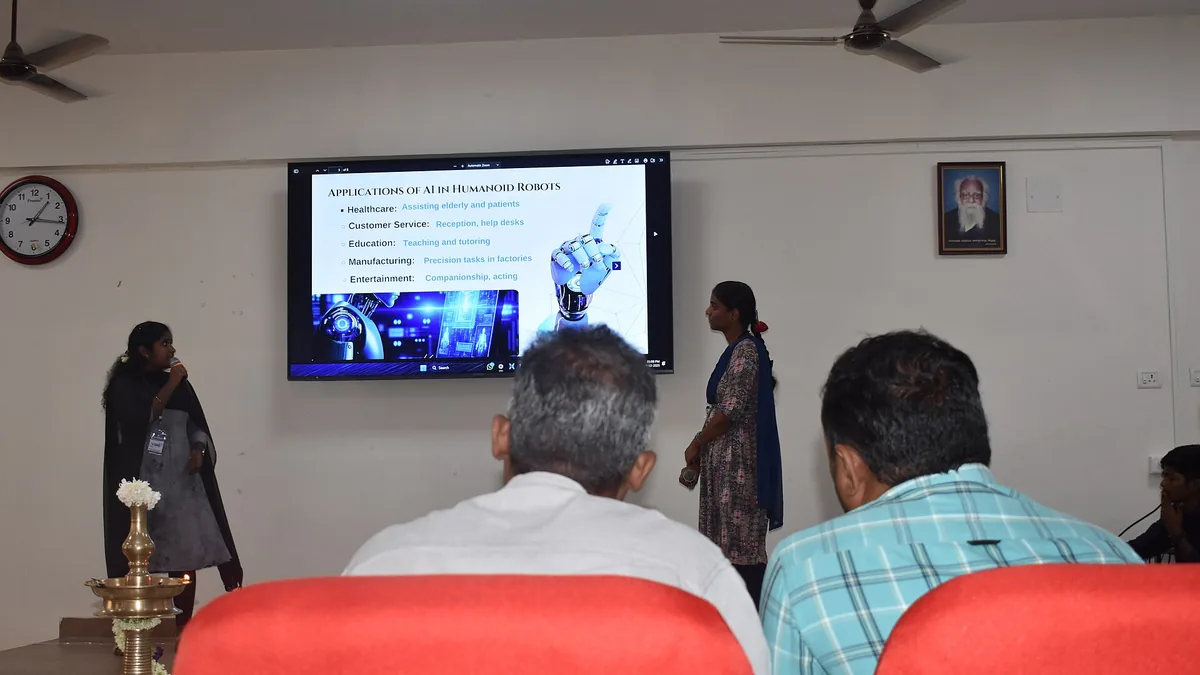
National-level workshop at Periyar University in Omalur on October 8th highlighted technology's role in education Photo: Shivanianbukumar, Wikimedia Commons, CC BY-SA 4.0.
Review anything audience-facing for assumptions. AI-drafted outreach text often defaults to a generic professional tone and vocabulary that does not match how your community actually speaks.
Watch for representational gaps in images and examples. AI image and text generators tend toward majority defaults. If your community is not reflected, edit or discard.
Never let AI rank, score, or filter people. Screening applicants, prioritizing beneficiaries, or “helping decide” who gets services should remain human decisions with documented criteria.
Test with real cases. Before using an AI-drafted survey or intake form, run it past a few people from the population it targets.
The third point deserves emphasis. Automated or semi-automated screening of people is where AI bias causes real harm, and it is also where regulators and funders are tightening expectations. If AI drafts the questions, fine. If AI is deciding or ranking the answers, stop.
When do you need to disclose that AI was involved?#
A sensible small-organization disclosure rule is: disclose when the audience would reasonably want to know, and always disclose internally. Disclosure norms are still settling, so check application guidelines before using AI on anything related to funding, and default to disclosure when guidelines are silent and stakes are high.
Situations where disclosure is appropriate:
Client deliverables where originality is expected (reports, designs, grant narratives where the funder requires original work)
Published articles or marketing content with bylines
Automated communications where a person might assume a human wrote back
Grant or contract applications that ask about AI use
Any use of AI meeting transcription, where participants should be notified before recording starts
Situations where disclosure is usually unnecessary:
Internal drafting, summarizing, and brainstorming
Editing and proofreading your own writing
Researching a topic before forming your own views
Generating internal meeting agendas
Some funders, journals, and government agencies now require explicit AI disclosures.
Even a perfectly private, well-disclosed AI tool is wrong for some jobs. The reason is usually accountability: AI cannot hold responsibility, so delegating certain tasks removes accountability without removing the work. A good rule of thumb for staff: AI is fine for first drafts, cleanup, and exploration; a human owns everything that leaves the building and everything that affects a person.
Tasks to keep in human hands:
Final decisions about people. Hiring, firing, admitting, serving, denying. AI can help you organize information; it should never decide.
Anything with legal or financial liability. Contracts, tax positions, HR discipline, anything that could end up in front of a lawyer or auditor needs a qualified human reviewer.
Facts that must be correct. Grant numbers, statistics, legal citations, quotes. AI models generate plausible text, and plausible is not the same as accurate. Verify every fact in AI output before it goes anywhere.
Crisis communications. Empathy, judgment, and accountability under pressure are the whole job, and they are not delegable.
Your institutional knowledge. Do not let AI become the only place your organization’s history and know-how lives. Keep authoritative records in systems you control, a point covered well in cloud backup vs local backup: which do you need.
What does a lightweight AI policy template look like?#
A lightweight AI policy for a small organization fits on one page: an approved-tools list, hard data rules, a human-review requirement, disclosure rules, and a bias check. A policy nobody reads protects nobody, so brevity is the point. Copy the template below, edit the bracketed parts, and circulate it.
[Organization Name] Responsible AI Use Policy
Purpose. This policy explains how [Organization Name] uses AI tools so that we protect the people we serve, our data, and our reputation.
Approved tools. Staff may use only the AI tools on our approved list: [list tools and plan tiers]. Requests to add a tool go to [role or person].
Data rules.
Never enter client, donor, or beneficiary personal information into any AI tool.
Never enter passwords, financial account details, Social Security numbers, health information, or government IDs.
Anonymize before pasting: replace names and identifying details with placeholders.
Unreleased legal, HR, and confidential strategy documents stay out of AI tools unless [role] approves.
Accuracy and accountability.
A human reviews and verifies every AI-assisted output before it is used externally. The person who sends it owns it.
AI tools never make final decisions about people, including hiring, service eligibility, and funding.
Disclosure.
We disclose AI use in client deliverables, published content, and anywhere originality is expected.
Participants are notified before any AI meeting transcription.
Bias.
Audience-facing content is reviewed for fit with our community, and AI-generated imagery or examples are edited or discarded if they misrepresent the people we serve.
Questions. When unsure, ask [role or person] before using the tool.
Reviewed: [date] Next review: [date]
Assign a review date six to twelve months out. The field moves quickly enough that an annual review is genuinely necessary, not bureaucratic.
A policy file nobody opens does nothing. Three low-effort practices make a responsible AI policy real at a small organization: put the data rules in onboarding, post an approved-tools list somewhere findable, and name one owner for tool approvals and terms reviews. Pair the policy with existing security practices, since AI tools widen the surface area for data mistakes.
Details:
Put the data rules in onboarding. Every new staff member and volunteer hears the “never paste” list in their first week.
Post the approved tools list somewhere findable, and update it when tools change. If it lives in a shared drive, link it from wherever staff already look for procedures.
Name one owner. One person, even part-time, answers “can we use this tool?” questions and does the five-question terms review. If your organization relies on outside or volunteer technical help, our guide on how to manage volunteer tech help effectively covers setting those boundaries.
Basic protections like access control, staff training against phishing, and sane password practices matter more, not less, once AI tools are in use. The nonprofit cybersecurity checklist pairs naturally with an AI policy, since both come down to the same discipline: knowing where sensitive data lives and controlling who and what can touch it.
Yes, even a one-page policy prevents common problems like staff pasting client data into public chatbots or presenting AI output as original work. A short written policy also makes onboarding and vendor decisions much easier. It does not need to be formal legal language, just clear rules everyone follows.
What should never be entered into a public AI chatbot?
Never enter client or donor personal information, Social Security numbers, health details, financial account data, passwords, unreleased legal or HR documents, or confidential strategy material. Anything you would not email to a stranger should not go into a public AI tool.
Do we have to disclose when we use AI?
It depends on the context. You should disclose AI use in client deliverables, published content, and any application or grant materials where originality is expected. Internal use such as drafting an agenda usually does not require disclosure, but your policy should say where the line is.
Can AI tools use our data to train their models?
Some can, depending on the vendor's terms and your plan tier. Many consumer and free tiers feed inputs into training unless you opt out, while enterprise plans often offer data controls. Read the terms before adopting any tool, and treat unknown terms as a no.
Practical sustainability moves for small offices: extend hardware life, right-size cloud usage, buy greener, and dispose of e-waste responsibly, ranked by effort and impact.